
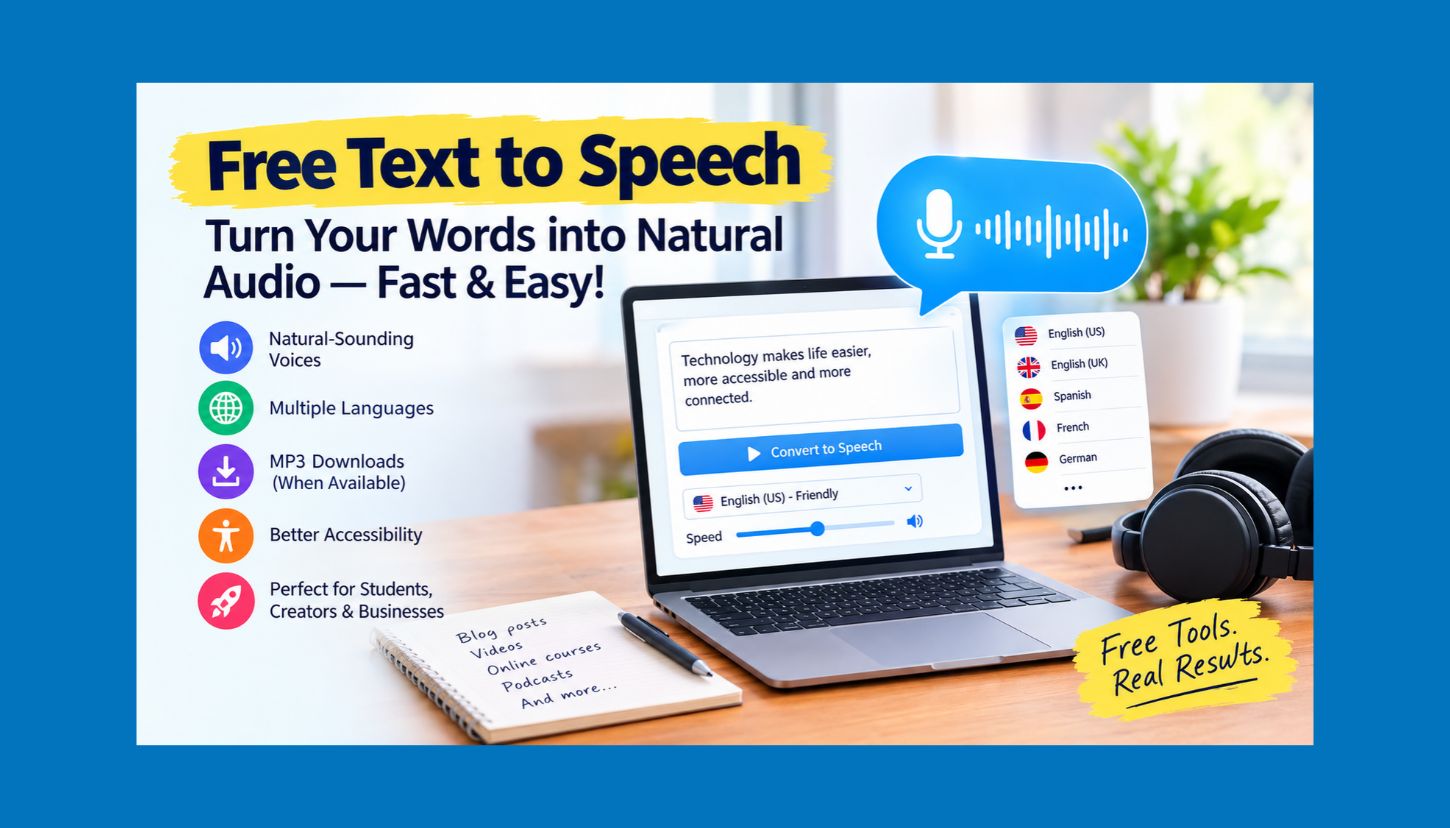
Free Text to Speech Converter: 10 Best Ways to Convert Text into Natural-Sounding Audio for Free in 2026

Imagine turning a blog post into an audio recording, reading written notes aloud, or creating a voice-over for a YouTube video without buying expensive recording equipment. Free text to speech tools can do all of this in just a few clicks.
Text-to-speech (TTS) technology converts written text into spoken audio using computer-generated voices. Modern tools offer natural-sounding voices, multiple languages, adjustable speaking speeds, and in some cases, AI-powered voice generation. Students, content creators, marketers, business owners, and educators can use them to produce audio content more efficiently.
Free text-to-speech tools don’t all offer the same features. Some provide unlimited reading through built-in accessibility features, while others restrict downloads, voice choices, or the number of characters you can convert.
The right tool depends on your specific needs.
In this guide, you will learn how free text-to-speech works, which features matter most, how to convert text into audio, and how to use TTS technology for content creation, accessibility, education, and business. You’ll also find practical tips for choosing a reliable tool without paying for subscriptions you don’t need.
Let’s get started.
What Is Free Text to Speech?
Free text-to-speech is a technology or online service that turns written content into spoken words without an upfront payment.
For example, you can paste a paragraph into a TTS tool, choose an English voice, and create an audio version of your text. Depending on the service, you may be able to listen online, download an audio file, or add the voice to another application.
Traditional speech synthesis often sounded robotic. Modern AI-powered systems, though, can produce more natural pronunciation, rhythm, and intonation.
Free TTS solutions generally fall into three categories:
- Built-in text-to-speech: Features available through operating systems, browsers, and accessibility settings.
- Online text-to-speech generators: Websites that convert text into speech in your browser.
- AI voice generators: Services that use neural networks to create more expressive speech, sometimes with free usage limits.
The best option depends on whether you want to listen to text, download an MP3 file, create a video voice-over, or make your website more accessible.
How Does Text to Speech Technology Work?
Text-to-speech technology processes written language and turns it into spoken audio.
The process varies by system, but it generally includes several steps.
1. Text Processing
First, the system analyzes the written content. It identifies words, punctuation, numbers, abbreviations, and sentence boundaries.
For example, a sentence ending with a question mark may require different intonation than a statement.
2. Language and Pronunciation Analysis
Next, the software works out how the words should sound. This step helps the system handle pronunciation, sentence structure, and language-specific rules.
Unusual names, technical terms, and abbreviations may still need manual corrections.
3. Voice Generation
The system generates speech with a synthesis model. Modern neural TTS systems can learn patterns from speech data and use them to produce more natural-sounding audio.
4. Audio Playback or Download
Finally, the tool plays the generated voice or, if downloads are supported, provides an audio file.
This process lets users turn large amounts of written content into audio without recording every sentence by hand.
10 Best Ways to Use Free Text-to-Speech Tools
Choose a tool based on the task, not just its popularity. The options below offer different ways to access or use text-to-speech for free. Availability, commercial rights, and usage limits can change, so check each provider’s current terms.
1. Google Text-to-Speech and Speech Services
Google offers speech technologies through Android and its developer platforms.
On compatible Android devices, Google’s speech services can provide spoken output in reading and accessibility apps. Developers can also explore Google Cloud Text-to-Speech for more advanced voice-generation features.
Best for: Android users, developers, and people who need speech support in compatible applications.
Key advantages:
- Integration with supported Android applications.
- Support for multiple languages and voice options, depending on the service.
- Developer tools for building speech-enabled applications.
Important limitation: Google Cloud Text-to-Speech is a separate cloud service. Not every feature is free, and cloud-generated audio may be subject to usage limits.
2. Microsoft Edge Read Aloud
Microsoft Edge includes Read Aloud, a feature that reads supported webpages and documents aloud.
Open a compatible page, select the Read Aloud option, and choose an available voice. You can listen while following the text on screen.
This is useful when you want to listen to articles without copying the text into another website.
Best for: Bloggers, researchers, students, and people who prefer listening to online articles.
Key advantages:
- Convenient browser integration.
- Voice and playback controls.
- Useful for proofreading and reviewing long articles.
Important limitation: Read Aloud is mainly designed for listening. It may not let you download the generated speech as an MP3.
3. NaturalReader
NaturalReader offers text-to-speech through its online platform and supported applications.
Available voices and features for reading documents, webpages, and other written material depend on the plan.
The platform can help people who regularly work with PDFs, study notes, articles, or business documents.
Best for: Students, professionals, and users who frequently read digital documents.
Key advantages:
- Document-reading features.
- Multiple voice options.
- Tools designed for personal reading and accessibility.
Important limitation: Premium voices, downloads, and other advanced features may require a paid plan. Check the current free-plan restrictions before relying on a particular feature.
4. TTSMaker
TTSMaker is an online text-to-speech service that generates voice through a web interface.
Enter text, select an available language and voice, and generate speech. Audio downloads and other options may depend on the service’s current settings.
It’s a practical starting point for creators who need a straightforward way to generate narration.
Best for: Beginners, content creators, and users looking for downloadable speech.
Key advantages:
- Browser-based workflow.
- Multiple language and voice options.
- Audio-generation features.
Important limitation: Usage quotas, supported voices, and commercial-use conditions can vary. Check the service’s current terms before publishing generated audio in monetized content.
5. ElevenLabs
ElevenLabs is known for AI-generated speech and expressive synthetic voices.
Its tools can support narration, voice generation, and other audio workflows. Eligible users may be able to try selected features through a Free tier, subject to current account limits.
Voice quality and expressive delivery make ElevenLabs a strong fit for users who need more than basic text-to-speech.
Best for: Video creators, storytellers, and marketers who want expressive AI narration.
Key advantages:
- Natural-sounding voice options.
- Tools for different narration styles.
- Features for AI audio workflows.
Important limitation: Free usage is limited and may not include every feature. Review commercial licensing and attribution requirements before using generated audio in business projects.
6. TTSReader
TTSReader makes it straightforward to listen to written content.
Depending on the current version and supported environment, users can paste text or use reading features to hear written material aloud.
It can help when you want to listen to a long article, review a draft, or spend less time reading from a screen.
Best for: Readers, students, and writers who want a simple listening workflow.
Key advantages:
- Easy-to-use interface.
- Text-to-speech listening.
- Useful for reviewing written material.
Important limitation: Voice availability, file export, and usage restrictions depend on the service’s current features.
7. Speechify
Speechify offers text-to-speech tools that let users listen to written content.
Its supported products may include browser, mobile, and document-reading experiences. Depending on the plan, users can access different voices, playback controls, and additional productivity features.
Best for: Busy professionals, students, and people who consume substantial amounts of written content.
Key advantages:
- Multiple supported reading environments.
- Playback speed controls in supported products.
- Features for listening to digital text.
Important limitation: Some voices and advanced capabilities require a subscription. Confirm which features are available without payment before choosing it for regular workflow use.
8. Voice Aloud Reader
Voice Aloud Reader lets users have their devices read supported text aloud.
Depending on the platform and app version, it can read text from documents, webpages, and other sources.
It turns written material into audio without requiring a dedicated studio or microphone.
Best for: Mobile users who want to listen to articles and documents.
Key advantages:
- Convenient reading on supported devices.
- Useful for multitasking.
- Can work with supported text sources.
Important limitation: Features and compatibility vary by operating system and app version. Check the official listing for the current feature set.
9. Apple Spoken Content
Apple devices include accessibility features that read selected text or on-screen content aloud.
On supported iPhones, iPads, and Macs, users can turn on available reading features in Spoken Content settings.
If you already own an Apple device and want text read aloud, start here.
Best for: iPhone, iPad, and Mac users who need convenient spoken output.
Key advantages:
- Built into supported Apple operating systems.
- Useful for accessibility and everyday reading.
- No separate commercial TTS subscription is necessarily required for basic built-in functionality.
Built-in spoken content doesn’t replace an AI voice-over generator. Exporting high-quality audio files may require a different workflow.
10. Piper Text-to-Speech
Piper is an open-source text-to-speech (TTS) project that supports local speech generation with compatible voice models.
Depending on the version and setup, it can run on a suitable computer without sending every text request to a commercial cloud service.
This option may suit technically confident users who want more control over their speech-generation environment.
Best for: Developers, privacy-conscious users, and people comfortable installing software.
Key advantages:
- Open-source approach.
- Potential for local speech generation.
- More control over the software environment.
Setup may require technical knowledge. Voice quality, supported languages, hardware requirements, and licensing depend on the model and software version you choose.
How to Choose the Best Free Text Speech Tool
Choosing a TTS platform is easier when you focus on the features that fit your workflow.
Here are seven factors to compare.
1. Voice Quality
Listen to a sample before choosing a tool.
A good voice pronounces words clearly, sounds natural, and avoids distracting pauses. For professional narration, check that the voice suits your audience.
2. Language and Accent Support
Language support matters if you create content for an international audience.
Check that the tool offers the languages and accents your work requires. A service may support dozens of languages without offering every voice or feature in each one.
3. Character or Usage Limits
Free services often limit how much text you can process.
Some cap the number of characters per conversion; others set monthly quotas or daily limits. If you regularly convert long articles, estimate how much text you need to process each month.
4. MP3 and WAV Downloads
If you need audio for YouTube videos, podcasts, presentations, or other projects, check which formats the tool can export.
MP3 files are often compact and convenient. WAV may suit workflows that require uncompressed audio.
Some tools read text aloud in your browser but don’t let you download audio files.
5. Commercial Usage Rights
Business users should check the terms for using generated audio.
A tool may allow free personal use but prohibit commercial distribution. Before using a voice-over in monetized videos, advertisements, client projects, or paid products, review the relevant license.
6. Privacy and Data Handling
Avoid entering confidential business documents, customer information, passwords, or private records into an unfamiliar online service.
Review its privacy policy to understand how it stores or processes submitted text and generated audio. Use a suitable local tool if privacy is a priority.
7. Ease of Use
Choose a tool that fits your workflow.
If you only need to listen to articles, your browser’s built-in reading feature may be enough. For polished narration across several videos each week, a dedicated AI voice generator may be a better fit.
How to Convert Text to Speech for Free: A Step-by-Step TTS Guide
You don’t need advanced technical skills to start using a free TTS tool.
Follow these steps to create your first audio recording.
Step 1: Prepare your text.
Write or copy the content you want to convert. Remove unnecessary formatting, then check the spelling, punctuation, and sentence structure.
Step 2: Choose a suitable tool.
Select a browser reader, online generator, built-in accessibility feature, or local TTS application, depending on your goal.
Step 3: Select a voice.
Choose a language, accent, and voice that suit your content. If several options are available, listen to short samples before you decide.
Step 4: Adjust the speaking speed.
A slower voice may work well for tutorials and educational material. A slightly faster voice can help with reviewing long articles.
Avoid increasing the speed so much that listeners struggle to understand the content.
Step 5: Generate or play the audio.
Paste your text if needed, then start the conversion. Some tools begin speaking right away; others need time to generate an audio file.
Step 6: Review the result.
Listen for mispronunciations, unnatural pauses, and unclear transitions between sentences. Correct the text and generate the audio again if needed.
Step 7: Export the audio when supported.
If your selected tool offers downloads, save the file in a format that works with your project.
Before publishing, confirm that the voice and license permit your intended use.
Best Free Text-to-Speech Uses for Content Creators
Text-to-speech can support a range of content workflows. Choose a tool for each task, and use AI audio when it fits.
YouTube Video Voice-Overs
TTS technology can narrate tutorials, product demonstrations, explainer videos, and educational content.
For example, an affiliate marketer can write a product review script, convert it to speech, and sync the narration with screen recordings and product demonstrations.
A generated voice alone won’t make a video successful. Viewers still need useful information, clear demonstrations, engaging editing, and an honest presentation.
Blog-to-Audio Content
Visitors can listen to a long article while working, travelling, or doing other tasks.
Audio gives people another way to consume your content. Adding audio doesn’t automatically improve search rankings. Its value comes from making the content more useful and accessible.
Social Media Videos
Short videos often benefit from clear narration. Turn educational tips, product features, and step-by-step instructions into spoken scripts.
Keep sentences concise, and make sure the audio matches the visuals.
Online Courses and Training
Businesses and educators can use speech generation to narrate training material, explain processes, or create supplementary learning resources.
Complex subjects may need careful human review to catch pronunciation errors and misleading explanations.
Accessibility
Text-to-speech can help people who have difficulty reading printed text, have visual limitations, or prefer auditory learning.
It also makes written information more convenient to consume. On websites and digital products, TTS can complement other accessibility measures, but it doesn’t replace proper semantic HTML, keyboard accessibility, captions, or screen-reader support.
Does Free Text to Speech Sound Natural?
Yes, some free text-to-speech tools produce remarkably natural speech. Results depend on the synthesis technology, voice model, language, and the quality of the source text.
Traditional speech engines may sound mechanical. Modern neural systems can produce more natural intonation and rhythm, but they may still mispronounce unusual words or struggle with context.
To improve the output:
- Use correct spelling and punctuation.
- Break long paragraphs into shorter sections.
- Write conversational sentences for spoken content.
- Spell out unusual abbreviations when appropriate.
- Test difficult names and technical terms.
- Listen to the complete recording before publishing it.
For example, a sentence written for a formal report may be hard to follow when spoken aloud. Rewriting it in a simpler, conversational style can improve comprehension and the quality of the narration.
Is Free Text to Speech Good for SEO?
Text-to-speech can support an SEO strategy, but it won’t directly improve rankings.
Search engines need accessible, useful content to understand a page. An audio file won’t automatically help an article rank higher, and a synthetic voice can’t replace keyword research, helpful information, relevant internal links, or technical SEO.
TTS can still support a broader content strategy in a few ways.
Improve content accessibility: Offer audio as another way for visitors to consume important information.
Repurpose existing content: Turn useful blog posts into narrated videos or audio resources without rewriting them from scratch.
Support user engagement: Some readers may prefer to listen to certain types of content. Whether that improves engagement depends on your audience and how you implement it.
Create more content formats: One well-researched article can become a blog post, video narration, and social media clips.
For best results, focus on original insights, accurate information, and a helpful user experience. Track relevant analytics rather than assuming audio will improve rankings.
Common Mistakes to Avoid When Using Free TTS
Free speech tools are convenient, but a few mistakes can reduce the final result’s quality.
Choosing a Voice Without Testing It
A voice may sound excellent in a short sample but unnatural when reading a long technical article.
Test a representative passage before converting an entire script.
Ignoring Free-Plan Restrictions
Some services restrict downloads, premium voices, or monthly usage. Check these details before building an important project around one platform.
Publishing Audio Without Proofreading
Text-to-speech systems can mispronounce product names, acronyms, and specialist vocabulary.
Review the narration carefully, especially when creating educational, financial, technical, or commercial content.
Overusing Robotic Narration
A voice-over can’t compensate for an unhelpful script.
Use clear explanations, relevant examples, natural transitions, and well-organized sections to keep the content useful.
Ignoring Licensing Rules
Never assume that free access automatically grants commercial rights.
Check the provider’s terms for monetized videos, advertising, client work, and redistribution.
Frequently Asked Questions About Free Text to Speech
1. What is the best free text-to-speech tool?
It depends on what you need. Microsoft Edge Read Aloud and Apple Spoken Content work well for listening to written material. TTSMaker may suit you if you need an online generator, while ElevenLabs is worth considering for expressive AI narration within its free limits.
Compare voice quality, download options, privacy, and licensing before you choose.
2. Can I convert text to speech for free without creating an account?
Yes. Some online tools and built-in device features let you listen to text without creating a separate account. Requirements vary by provider and can change over time.
Check the service’s current terms before uploading a large document.
3. Can I download free text-to-speech as an MP3 file?
Some online TTS generators let you download MP3 files. Others only offer playback or limit downloads to paid plans.
If you need MP3 export, check that it’s included in the free tier before you start your project.
4. Can I use free text-to-speech for YouTube videos?
Potentially. It depends on the provider’s license and the terms for the specific voice or plan.
Check the commercial-use permissions and YouTube’s applicable policies. Make original, useful videos rather than relying only on automated narration and repetitive content.
5. Is AI text-to-speech better than traditional TTS?
AI-based systems can produce more natural rhythm, intonation, and expressive delivery. Traditional TTS may be enough for basic accessibility and reading tasks.
Choose based on your budget, privacy requirements, language, and intended use.
6. Does free text-to-speech support multiple languages?
Many tools support multiple languages, but the options vary by platform. Some languages have more voice choices than others.
Check the language and accent options before choosing a service for multilingual content.
7. Can I use text-to-speech on my mobile phone?
Yes. Android and Apple devices have built-in speech and accessibility features, and third-party applications offer more reading and generation tools.
Available options depend on your device, operating system, and installed applications.
8. Is free text-to-speech safe?
It can be safe to use a reputable service, as long as you understand its data practices. Still, don’t assume an online service is suitable for confidential information.
Review the privacy policy, and avoid submitting sensitive data unless the service is approved for that purpose.
9. Can I use text-to-speech to create audiobooks?
Some TTS services can generate narration for audiobook projects. Long-form narration requires consistent pronunciation, pacing, and audio quality.
You must also confirm that you have the rights to the source text and that the voice-generation license allows audiobook distribution.
10. Will text to speech improve my website’s Google ranking?
Not on its own. Text-to-speech can improve accessibility and help you repurpose content, but it doesn’t guarantee a higher ranking.
Focus on useful content, search intent, page experience, technical SEO, and your audience’s needs.
Conclusion
Free text to speech tools make it easier to turn written information into audio. You can use them to listen to articles, create YouTube narration, prepare educational materials, or improve accessibility. Options exist for nearly every workflow.
Choose a tool that fits your needs.
For everyday reading, start with built-in tools such as Microsoft Edge Read Aloud or Apple Spoken Content. If you need downloadable audio, try online generators such as TTSMaker and check their current limits. For expressive AI narration, consider platforms such as ElevenLabs, and review their free-tier restrictions and commercial licensing.
Before publishing, proofread the script, test pronunciation, review the final recording, and confirm that your intended use is permitted.
Choose one tool, convert a short paragraph, and assess the voice quality. Once you find a suitable option, add it to your content workflow and adjust the process based on real results.
You don’t need an expensive studio to get started. A well-written script, a suitable free tool, and careful editing can help you create useful audio content at minimal upfront cost.
