
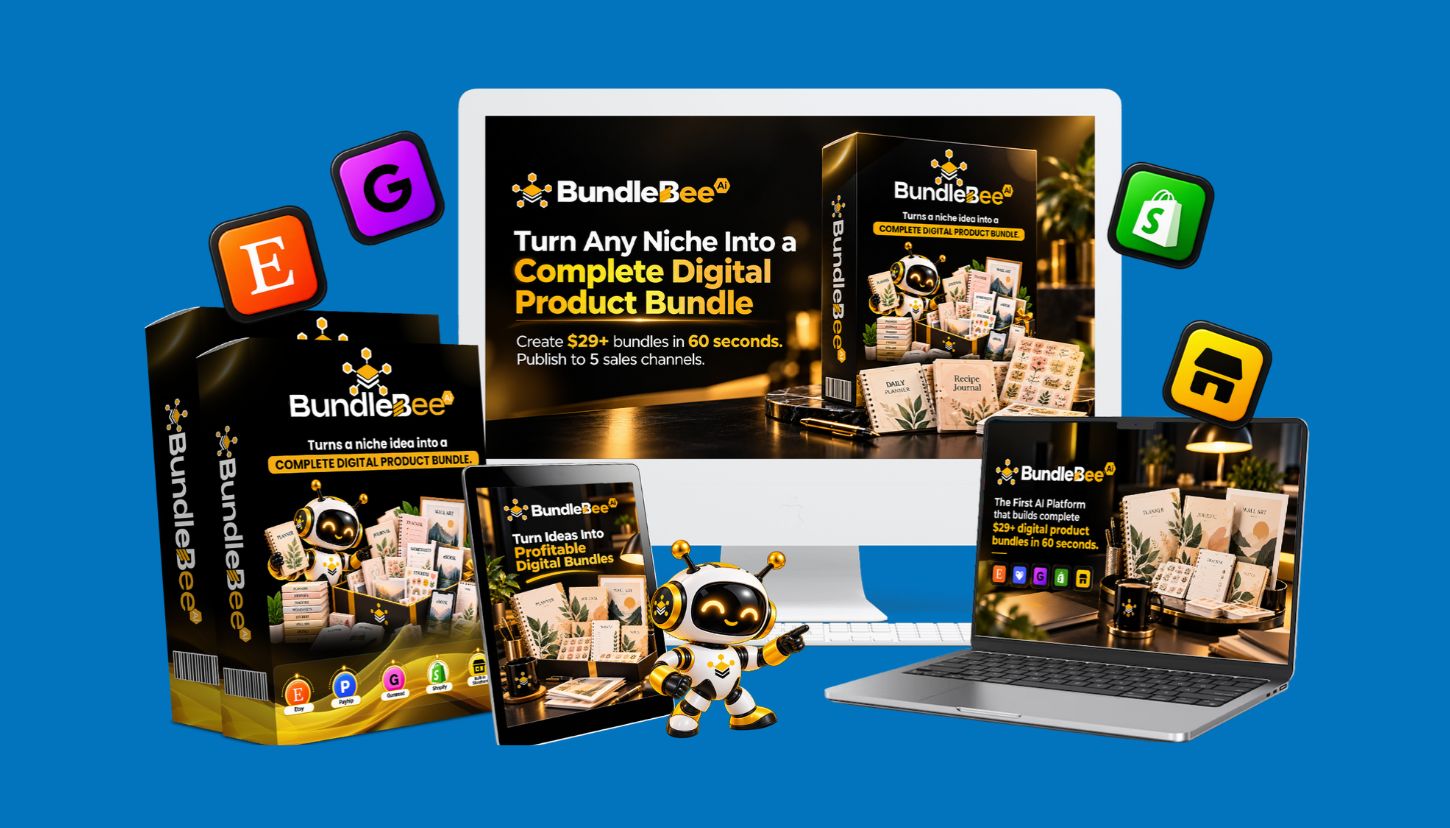
BundleBee AI Review 2026: Features, Pricing, Pros, Cons, Bonuses & Verdict

In our BundleBee AI Review, we will look at what the software claims it can do, how much it costs, what extras you can get (bonuses), the good things about using it, and what it can’t do. We will also compare it to similar software and tell you whether we think it’s a good tool for beginners.
Creators find digital product businesses to be a good alternative to physical ones. Since digital products require creating the file only once and can then be sold to many customers, you don’t need to store inventory or worry about delivering products. Digital products include, but are not limited to: print-ready planner pages; digital journal pages; digital invitation templates; budgeting templates; learning template worksheets; and social media template files.
Creating these products is time-consuming. The process involves many steps, including researching the market, developing useful designs, preparing product images for use, writing product descriptions, and publishing the listing. After you have published the listing, you must continue to promote the product and respond to customer inquiries.
This is where BundleBee AI comes in.
The promotional materials describe this software as an AI-powered platform that lets users create a digital product bundle from a niche idea. The software’s sales page also lists features such as mockup creation, listing assistance, and publishing on various selling platforms.
That sounds convenient. But there is more to consider than the feature list.
A digital product creation tool can’t guarantee people will buy your items. You still need an excellent concept, valuable content, an eye-catching design, and a well-defined advertising strategy.
Let’s look at what BundleBee AI offers and what you may want to research before purchasing.
What Is BundleBee AI?
BundleBee AI is marketed as an online tool for creating and releasing digital products. It lets users create multiple digital product downloads using artificial intelligence.
Users can enter a product concept and have the system create a variety of related digital products, rather than designing each one themselves. These digital products include calendars, planners, journals, stickers, printouts, posters, etc.

The sales page offers additional ways to promote products through product mockups, listing descriptions, price recommendations, and distribution across multiple sales outlets.
The five advertised destinations are:
- Etsy
- Payhip
- Gumroad
- Shopify
- A built-in storefront
The concept is straightforward. Build a valuable assortment of products, prepare them for sale, and deliver them to customers through various channels.
For instance, suppose you wish to offer a productivity bundle for freelance professionals. You can create a product bundle that includes a weekly planner, project tracker, client onboarding checklist, income tracker, and goal-setting worksheets.
Save time by generating components with BundleBee AI instead of building each one from scratch.
You’ll also need to review the files, fix mistakes, ensure the bundle delivers real value, and improve the design.
Use BundleBee 5OFF for $5 OFF across the Funnel; 30% OFF Discount Code: BundleBee30
35% OFF Discount Code: BundleBee35
Who Is BundleBee AI Designed For?
BundleBee AI may appeal to several types of users.
For Beginners: Those who want to use digital products and have little experience with design software would benefit from guidance through the creation process.
As a digital product seller, you can use these new features (the bundles tool and the listings tool) to reduce how often you repeat the same task.
The product-generation workflow will likely appeal to creators who create and sell printable planners, journals, and worksheets on Etsy. These creators must continue to adhere to Etsy’s current guidelines.
Freelance professionals, such as designers and other online service providers, will need to decide whether this application is useful for creating digital materials for their customers.
Digital download business models can give side-hustlers (individuals looking to start a small online business in addition to their current employment) a viable option for starting an online business.
However, the use of BundleBee AI may not be appropriate for all users. Before making a financial commitment to the software, evaluate whether it would improve on what you currently use.
How Does BundleBee AI Work?
BundleBee AI is presented as a program that guides users through multiple steps of developing a digital product. It would be best to confirm what this process and its user controls look like using the most up-to-date version of the program.
Here is how the advertised process is intended to work.
Step 1: Choose a Niche
First, decide what type of digital product you want to create.
A niche is a specific customer base or market. Examples include parents, wedding planners, students, teachers, independent contractors/freelancers, and small-business owners.
By selecting a narrow target market, you can determine exactly what your prospective clients want.
For instance, if you created a general-purpose planner, you might face a lot of competition. However, if you created a specialized planner that was geared towards freelance writers, then you would be able to include features such as article due dates, client contact information, content schedules, and invoice tracking.
Those features make the product more relevant to a particular audience.
BundleBee AI claims to offer an alternative source of inspiration for people who don’t have a starting point. However, no amount of computer-generated ideas can ever replace thorough market research.
Before you select a niche for your product, look at what others are selling, what customers have asked about, what customers say in reviews, and how competitors position their products.
Step 2: Enter Your Product Idea
After choosing a niche, enter a description of the bundle you want to create.
Your explanation will help us create a more relevant response. Please specify the target audience, the issue that the product needs to address, which files you wish to provide, and how you would like the product to look.
For example, you could ask for a productivity package for college students with weekly study planners, assignment trackers, test-prep checklists, and habit trackers.
If applicable, you may choose to make the bundle available for purchase (paid) or free.
The better you can explain what you expect from the final product, the simpler it will be for you to assess how well the system produces that result.
Step 3: Generate the Digital Bundle
BundleBee AI’s sales page says that it can produce a whole package in less than one minute.
That is an advertised performance claim, not an independently verified result.
The software is being marketed as producing many connected products, including planners, trackers, journal pages, stickers, and matching covers.
This may reduce the amount of manual work required to create a first draft.
Speed isn’t the only thing that makes a product high-quality. A bundle needs to be carefully reviewed before it’s released to the public.
Check for spelling errors, document formatting, page dimensions, presentation consistency, working links, and whether every part of the site adds value.
Step 4: Edit and Customize the Product
Once the bundle has been generated, review the available editing options.
You might need to update the title of your product, its description, color scheme, layout, and/or what is included in it. Also delete unnecessary pages from your website and replace generic content with content that resonates with your target market.
A budget planner should include clear, usable expense categories. A worksheet used by teachers should provide clear instructions and material suitable for the age group.
Do not assume that every generated file is ready for sale without editing.
A smaller, better-designed pack is typically more beneficial than a larger compilation with numerous duplicates.
Step 5: Create Mockups and Listing Content
BundleBee AI offers tools to create product mockup images and prepare listing titles, descriptions, tags, and even suggested selling prices.
These assets can help you present your products more clearly.
For example, you can show a digital planner as part of a tablet display, and a printable wall-art package can include images of the available sizes and styles.
Promotional images need to represent what the customer actually receives.
You will need to go through the content of each item’s description as well. AI-produced product descriptions can use vague language, inappropriate keywords, and/or make claims the product doesn’t support.
Use precise terminology when describing the benefits of the product to the customer, the target audience of the product, and the ways the product can be utilized.
Step 6: Publish Your Products
The website that sells the product states that you can publish your work on Etsy, Payhip, Gumroad, Shopify, and your own custom store.
The goal is to minimize the effort required to prepare products for use across channels.
However, verify whether these applications truly automate the actions. Many integrations will require you to authorize the application to access your account, manually review results, or provide additional configuration for the application to work correctly.
In addition, you may want to verify that the software supports all the listing fields and file formats that you require.
Each selling platform has different requirements. Therefore, a listing that can be used on a particular selling platform may require some changes so that it will work on a different selling platform.
Step 7: Review Your Results
After you publish your product, track visits, customer interest, sales, refunds, and questions.
These details help you understand whether the product meets customer needs.
If a listing gets many visits but few sales, consider reviewing the price, images, description, and target audience.
If you have a product that consistently sells well, then create other products that are related and will be sold to the same customer base.
The best way to do this is to review each product’s performance before deciding whether to publish it.
BundleBee AI review: Pricing
BundleBee AI Front-End Price: $14
OTO 1 — UNLIMITED PRO ($37 / $47 )
The Pro Max version allows for an infinite number of store connections. Pro Max also lets buyers expand their digital offerings by creating as many bundles as they want, mixing and matching products, accessing over 50 premium product types, getting professional-looking product mockups, and receiving expedited service.
OTO 2 — HIVE AUTOPILOT ($67)
Automating bundle creation and scheduling product launches by season helps buyers spend less time on repetitive tasks. Also, replicating successful products lets buyers keep growing their store’s inventory with minimal manual labor.
OTO 3 — BEE SNIPER ($97)
When buyers are having difficulty finding products that will be profitable, they are provided with information such as niche opportunity, trend of demand, score of competition, price analysis, keywords, and feedback from buyers to assist in identifying product gaps that can be targeted.
OTO 4 — BUZZ TRAFFIC ENGINE ($67 / $97)
As a buyer, if you want to know, “How can I drive people to my products?” you will receive promotional assets and traffic-driving resources such as Pinterest Pins, short videos, and free printable Lead Magnets. Traffic Max also offers Pinterest Auto-Posting, Email Sequences, Abandoned Cart Recovery, and Blog Content.
OTO 5 — HONEY RIGHTS MULTIPLIER ($67)
With more options for making money from their digital product, buyers can also earn more cash by selling resell-rights versions, creating print-on-demand items, producing paperback journals and planners, and offering a monthly printable subscription.
OTO 6 — FULL HIVE DFY ($97)
Buyers who would rather not do all the work can set up their business from scratch. This includes: Branding, Five Store Setups, 300 Customized Bundles, Initial Publishing, Pinterest & Email Setup, and 25 New Bundles per month for 12 months.
OTO 7 — QUEEN BEE AGENCY ($97 / $127)
Individuals who want to turn their expertise into a service-based business will receive tools to manage client accounts and online stores; create custom designs; generate reports; and present their services with pre-made pitches, proposals, pricing guides, and gig pages on platforms like Fiverr or Upwork.
OTO 8 — BEE KEEPER RESELLER ($97 / $127)
Reseller licenses are for those who want to make money selling software. In addition to the license, the buyer receives a complete sales page that has been created for them, automated delivery, and a marketing package. The reseller keeps 100% of every sale before processing fees, and BundleBee provides hosting, updates, and technical support.
OTO 9 — ROYAL JELLY WHITELABEL ($197 / $297)
When buyers choose to develop their own software brand, they will have the chance to create a white-labeled copy of the software application that can be sold by the buyer as if it was created by the buyer, giving the buyer the ability to provide a branded software solution to customers instead of simply providing digital product options.
What Should You Check Before Buying?
Before placing an order, review the following details:
- The actual price shown at checkout.
- Whether the payment provides ongoing access or access for a limited period.
- Whether product-generation limits apply.
- Whether premium features require additional purchases.
- Whether the commercial license covers your intended use.
- Whether the built-in storefront has separate costs.
- Whether any integrations require third-party subscriptions.
- The terms of the advertised money-back guarantee.
A lower initial price may allow you to try a tool with less risk. However, many other potential business costs come with purchasing a tool.
The next thing that might be required of you is to cover the marketplace fee, processing charge for your payments, domain cost, advertising expense, and applicable tax.
Are the Optional Upgrades Necessary?
The promotional funnel offers opportunities to purchase extra functionality if you want it.
This list includes: Unlimited Product Creation, Automated Publishing, Niche Research, Traffic-Generating Tools, Commercial Opportunities, Done-For-You Setup, Agency Features, Reseller Rights
Their availability, exact prices, and terms should be confirmed at checkout.
You do not necessarily need every upgrade to start a digital-product business.
If you’re a beginner, start by identifying the specific tasks you need help with. Spending money on multiple upgrade options before trying the core product may increase costs and leave you with no evidence that those upgrades will provide value.
My recommendation is to use the baseline version first, if possible, to see how it works for your use case. Only consider upgrading after you have determined exactly what benefits the upgrade will provide.
Exclusive Bonuses Included With Your Purchase
The BundleBee AI promotional materials state that multiple bonuses will be available at launch, along with the option for customers to purchase additional upgrades. I cannot confirm whether or not these bonuses are included with each product purchased today.
Before deciding that a bonus is included in your purchase price, please be sure to review both the offer page and the checkout.
These are some of the bonus categories that have been marketed as part of the sales material.
Digital Product Starter Resources
Sales materials will advertise “starter resources” that can help people start developing digital products.
If you have no experience with product planning, bundle organization, or digital downloads, these tools may help.
Before you use a source, check what it includes, such as whether files can be edited, whether it offers practical examples, or whether it gives a general overview of what you need to know.
Seasonal Product Planning Resources
Seasonal product calendars help sellers schedule collections to coincide with events throughout the year, including weddings, holidays, back-to-school time, and the start of each calendar year.
By planning, you will have more time to create, publish and market relevant items.
Seasonality affects every business, but what makes it different is how different consumer groups use the same products at different times. A calendar is a great planning tool; however, it doesn’t guarantee you can sell your seasonal product.
Service-Selling Resources
The promotional offer also mentions resources related to selling services.
These may be better suited to creating digital products to sell to clients rather than selling only through your own store.
For instance, you might provide customized worksheets, company-branded templates, or planners for businesses to use
Before providing a service, ensure the software’s commercial terms permit the work you plan to do.
Pinterest Marketing Templates
Pinterest is a great way to find new visual digital content, such as printable planners, recipes, home organization ideas, and educational resources.
Templates can help you create promotional graphics faster.
Creating pins does not guarantee clicks or sales. Create custom pin designs, include relevant descriptions, and direct users to a specific product page.
Profit-Planning Resources
A profit calculator can help you estimate revenue, costs, and potential margins.
For instance, you could find out what is left over from your earnings once you take into account the amount of money that was deducted due to marketplace fees, credit card processing fees, software costs, and refunds.
Use realistic numbers instead of assuming all your listings will result in consistent sales.
Training and Community Resources
The promotional material also mentions training and community support.
The quality of the training and the availability of support determine how helpful these materials will be for beginners learning the workflow.
Verify what is included in the present offer, and whether you will have to pay extra.
Are the Bonuses Worth It?
The answer depends on the contents.
A worthwhile bonus addresses a real-world problem, saves you time, or helps you develop a useful ability. A large selection of bonuses doesn’t necessarily create value.
When evaluating, base your decision on the resources you have available rather than an estimate of how much money you could save with a product or a claim that you must buy now.
Key Features: BundleBee AI review
Let’s take a closer look at what BundleBee AI claims to offer in terms of facilitating digital product development and how those features may help us as we create our own digital products.
AI Digital Bundle Builder
The bundle builder is the central advertised feature.
It aims to transform a product idea into a collection of related digital files.
I believe this can be used to decrease redundant work on projects and as an initial step to begin a project if you find yourself stuck at the “blank page” stage of the process.
However, you should still review and improve the content before publishing.
Multiple Digital Product Types
The sales page supports more than 20 product categories.
Examples include:
- Planners and journals
- Budget trackers
- Calendars and worksheets
- Stickers and printable art
- Coloring pages and flashcards
- Educational resources
- Templates and other digital downloads
This variety may help sellers experiment with different products.
It would be more effective to develop a small number of product types that fit your target market rather than try to create every possible product type. Your products should meet the specific needs of a clearly defined group of customers.
Interactive Digital Planners
BundleBee AI markets interactive planning software for mobile devices (tablets) through programs like GoodNotes and Notability.
These features can make a digital planner easier to navigate.
Users can transition from a monthly calendar to a weekly schedule to a note to a goal-setting page using tabs.
Inspect the exported file thoroughly. If there are broken links or the navigation is hard to understand, you may be giving your customers a less-than-desirable experience.
Printable and Tablet-Friendly Files
The sales page promotes printable and digital versions of certain products.
This lets you serve customers who want to print your page and those who use a tablet.
Before you publish your files, make sure they are formatted correctly and include the right dimensions and functionality.
A print-ready document must have appropriate margin spacing and easily legible type. A tablet planner needs functional navigation and a layout that’s user-friendly on a monitor.
Product Mockup Creation
Mockups show potential buyers how a product might look in use.
For instance, planners can be placed on a desk or tablet, and posters can be hung up in a room.
Mockups can enhance how a product is presented to customers, but they must match the actual product.
The images on your listing should not suggest that customers can expect to receive a physical item if you are offering only a digital download.
AI Listing Writer
The advertised listing writer helps prepare titles, descriptions, and tags.
This may save time when creating several related products.
The listing quality depends on how relevant and accurate the system-generated content is.
I am reviewing all of the titles and descriptions. I will naturally incorporate the keyword into the reviews, describe each item clearly, and avoid false or exaggerated claims.
Suggested Pricing
The Sales Page states that it offers a pricing option that allows the Seller to select the price of their bundles.
Pricing is determined by the usefulness of the product, quality of the product, who will buy the product (target audience), other products that compete with the product (competition), and the cost of doing business (business costs).
The suggested price is merely a baseline. Compare with similar products and use real customer data to evaluate your pricing.
Multi-Store Publishing
Sellers who publish their products across multiple online stores can reach a wider range of customer demographics.
Some people will find what they want on a marketplace like Etsy or Amazon, but many others will buy directly from the seller’s website.
However, each channel may require its own details for listing products/services, setting up files and policies, and promoting the product/service.
Make sure the advertised integrations work properly with your existing accounts before using them.
Built-In Storefront
The advertised built-in storefront offers another possible way to sell products.
In addition to giving you greater control over your branding and customer experience, an owned storefront depends on the feature set offered by the platform you use, as well as the platform’s terms of use.
Check for payment processing options, domain selection, access to customer data, backup procedures, and the consequences of terminating use of the software.
Product Scheduling and Sales Tracking
The sales page advertises scheduled publishing and centralized sales monitoring.
This functionality may let users manage launches and analyze product success.
However, you will also need to verify that each platform provides data to the dashboard and that the data updates automatically.
Good tracking can help you make better business decisions; however, it cannot replace customer research or marketing.
Commercial License
The sales page advertises a commercial license to sell products you create.
This may be relevant if you intend to create a company that provides digital downloads.
However, we do not assume all potential uses of the product are allowed. Review the actual license of the product, especially if you intend to sell the editable source files to others, provide products to customers, or produce goods with your design on them.
You should also adhere to copyright laws, trademark laws, and any relevant terms of agreement for using other people’s products or services.
Beginner-Friendly Workflow
The product is intended for individuals who lack specialized knowledge in the areas of design and/or technology.
A guided process can make it easier to start a new project.
Beginners also need to understand product research, file quality control, pricing, customer service and marketplace regulations.
The tool will assist with production; however, it does not eliminate all the learning required to run a business.
How BundleBee AI Compares to Similar Tools
BundleBee AI is not the only option for creating and selling digital products.
You can develop a similar process using design tools, artificial intelligence, and e-commerce platforms. The best option for you depends on how much you are willing to spend, your level of expertise with these systems, and how much automation you need in your operations.
| Tool or approach | Main purpose | Potential advantage | Limitation |
|---|---|---|---|
| BundleBee AI | Advertised bundle creation and multi-store workflow | Combines several tasks in one platform | Current capabilities and integrations need verification |
| Canva | Graphic design and templates | Flexible visual editing | Requires separate product research and selling workflows |
| ChatGPT | Ideas, outlines, descriptions, and content drafting | Flexible assistance with text and planning | Generated content requires review and separate design tools |
| Shopify | Online store and ecommerce management | Greater control over a branded store | Store setup and ongoing costs may apply |
| Etsy | Marketplace for creative products | Access to marketplace shoppers | Competition, fees, and seller policies |
| Manual design workflow | Custom product creation | Direct control over quality and originality | Can require more time and skill |
BundleBee AI vs. Canva
Canva’s primary purpose is to provide a platform for users to design visually. With this tool, you can create planners, worksheets, social media images, and many other visual materials.
BundleBee AI claims its product offers an extensive workflow for creating product bundles and preparing listings for sale.
If you want full control over each design feature, Canva might be the best option for you. On the other hand, if you want a seamless workflow, you should test BundleBee AI.
Compare the actual outputs before deciding.
BundleBee AI vs. ChatGPT
ChatGPT can help you develop your niche, create a product outline, generate worksheet ideas, write listing descriptions, and develop marketing plans.
However, it is not the same as a dedicated digital-product publishing system.
Your ideas will likely require two different software programs to create final products, i.e., design software and selling platforms.
In addition, the two methods may work together. For instance, you might use an AI-based system to refine the product idea and then use the design program you’re most comfortable with to develop it.
BundleBee AI vs. Shopify
Shopify is an e-commerce platform for building and managing an online store.
The platform may support digital product sales; however, its primary purpose is not to create a bundle of digital products.
BundleBee AI advertises its ability to create and publish products that fit an online retail business.
Before buying, make sure that the product and workflow you require are supported by the integration. The Shopify website provides information on how it supports digital products and downloads.
Which Option Is Best?
There is no single best option for every seller.
BundleBee AI is the right choice if it solves a specific issue with its unified workflow and delivers as promised.
Choose a manual workflow if you want full creative control and already have established, productive work processes.
If you want flexibility and the ability to manage many different types of software, choose a combination of these tools.
The most critical comparison should be based on quality, cost, the amount of time needed for editing, licensing terms, and how easy the tool is to use — not only on the amount of features it has.
Pros & Cons of BundleBee AI
Every tool has strengths and limitations. Here are the main points to consider.
Pros: BundleBee AI review
- Potential time savings
Automated product drafting and listing preparation may reduce repetitive work.
- Multiple product categories
A variety of options are available for the types of products being advertised as part of the digital download business.
- Beginner-friendly concept
A step-by-step process can help a first-time seller understand each stage of creating a product.
- Listing assistance
Product listing creation may begin with generating product titles and descriptions.
- Multiple sales channels
Publishing across different storefronts may help diversify distribution.
- No physical inventory
Digital products do not require traditional warehousing or shipping.
- Flexible business opportunities
A Creator’s License lets creators sell their products, provide a client with an appropriate service, or do both, depending on the terms of the license.
- Product mockup tools
Previews generated by the system can reduce the time you spend manually preparing promotional images.
Cons: BundleBee AI review
- Product quality still needs human review
AI-generated files may contain errors, generic content, or weak designs.
- Sales are not guaranteed
Publishing products does not guarantee traffic, conversions, or profit.
- Integration claims need verification
The user should verify that the application links to all the platforms they want to use and allows them to complete the tasks necessary for the job.
- Extra costs may apply
The cost of doing business on a marketplace may be increased by marketplace fees, payment processing fees, optional upgrades to the service being used, and advertising/marketing.
- Competition remains a challenge
Many sellers have digital products available. To convince customers to buy your digital product, you must give them a compelling reason to do so.
- Marketplace policies still apply
Automated tools cannot guarantee compliance with every platform’s requirements.
- Independent evidence is limited
The retrieved advertising materials did not provide information on what customers typically earn from this opportunity, nor could they confirm the accuracy of every claim about its effectiveness.
- Upsells can increase the total price
Optional upgrades will provide you with additional functions and/or features, but will likely require an increase in your initial purchase price.
What Real Users Are Saying
When buying software, it is natural to look for feedback from real users.
Independent user feedback is especially important when you have a new product. Promotional testimonials alone cannot create a balanced view of your product.
When I wrote this article, I couldn’t find enough independently verified customer reviews for BundleBee AI to summarize the consensus among its users.
Some promotional review pages describe a product positively and discuss its advertised workflow. Those pages should not automatically be considered as independent proof of customer satisfaction or business results.
What Should You Look for in User Reviews?
Before buying BundleBee AI, find out what others say about how well it performs in practice.
Is the software easy to use?
Review that describes how to set up the software, rather than just saying it is easy for beginners.
Are the generated files good enough to sell?
Completed product examples can be used as a guide for evaluating formatting, uniqueness, consistency, and applicability.
Do the integrations work?
You should look for examples of people being able to publish their product successfully on the platforms you are planning to use.
Is customer support responsive?
The more information you have about your experience with a customer support team, the better you will be able to understand the way that problems are resolved.
Are refund requests handled according to the terms?
Review the refund policy on the website, and see what people say about their experience getting a refund.
Are earnings claims supported by evidence?
Be careful with screen captures and/or testimonials that do not state what is involved in terms of costs, the amount of time required, how visitors are generated (traffic source), or whether the income reported was the total amount earned (revenue) or the net amount after expenses (profit).
My Assessment of the Available Evidence
BundleBee AI’s marketing outlines a workflow that could benefit users; however, it makes no specific claims about its effectiveness in helping typical users.
Therefore, I would not say that all users earn a certain amount of money, nor would I state that this program has been proven to generate profit-producing businesses.
The strongest evidence would come from hands-on testing, showing the completed product to others, and verifying independent customers’ experiences.
Tips to Get the Most Out of BundleBee AI
When you choose to try BundleBee AI, take a methodical approach. These steps will prevent you from making many of the most frequent errors.
Start With One Specific Niche
Do not try to create products for every audience at once.
Select one specific audience that needs your product/service. Examples include freelance designers, University Students, Teachers, Wedding Planners, etc.
Developing appropriate products and understanding your customers becomes much simpler when you have a defined target market.
Research Before Creating
Search marketplaces and examine competing products.
I suggest you examine the formats of these products, their prices, how much each product is described as being worth, the images associated with each product, and customer feedback (if possible).
Identify ways to improve how helpful, clear, or unique your products are.
Do not assume that a niche is profitable just because an AI tool recommends it.
Write Better Product Prompts
Give the software a clear description of the product you want.
Include the target audience, problems to be solved by the site, the number of pages required, the desired visual identity for the site, and the expected format of the project.
For example, instead of asking for a general planner, provide details about a week-long planner designed for freelance writers to track their writing schedule (deadlines), client schedules (client tracking), and which projects to complete first (project priorities).
Clear instructions can make the initial output more relevant.
Inspect Every File
Never publish a bundle without reviewing it.
Check for consistency in all areas of the document, including font, formatting, page number placement, margin sizes, links used throughout the document, etc.
Ensure that the products you describe in your listings are exactly what the customer receives when they order from you. Delete excess pages and correct any content errors that may confuse customers.
Quality matters more than quantity.
Create Accurate Product Images
Use mockups to help customers understand what they are buying.
Indicate the number of included pages, their format, and any unique features. When applicable, clearly state that this is a digital download.
Do not mislead customers with false previews of your products, and do not lead them to believe they are purchasing a tangible good if they are not.
Improve Your Listing SEO
Use relevant keywords in your product titles and descriptions to improve search relevance. However, when writing your product description, use language that sounds natural to consumers.
Think about the terminology that a possible client may utilize to find your product.
Explain the contents of the product and what advantages it offers. Don’t use other terms that aren’t related to the product, and don’t make claims about the product that it doesn’t have.
Understand Marketplace Rules
Each marketplace has its own requirements.
For instance, Etsy has a policy that specifies what is acceptable when creating items with the help of artificial intelligence (AI) and requires sellers to disclose how much they use AI in their work. Before publishing your item, review Etsy’s most up-to-date Creativity Standards.
Automated compliance tools should be used in conjunction with reviewing all relevant policy documents.
Start With One Selling Channel
You are not required to utilize each of the many storefronts that the software promotes at once.
Start with the platform that best suits your audience and product.
You will learn how to create a listing for sale, respond to customer inquiries, and evaluate your performance. If you find yourself doing so much extra work that it justifies expanding into other areas, you may decide to expand.
Promote Your Products
Do not depend entirely on marketplace discovery.
Depending on what type of business you have (i.e., your niche), you can utilize several methods to market your business, such as using Pinterest, writing blog posts that provide value to your readers, utilizing email marketing campaigns, promoting your products/services through social media platforms, or reaching out to an already established audience.
Select appropriate channels for your customers. Monitor what actions lead to relevant website traffic and product sales.
Remember, marketing takes time and testing.
Track Revenue and Expenses
Record your sales, refunds, platform fees, payment processing charges, software costs, and advertising expenses.
If you sold 20 bundles at $29 each, you would generate $580 in gross revenue before any sales-related costs.
It does not mean you have earned $580 in profit.
Calculate how much is left over (actual) after you pay for your bills/expenses to help inform your decision-making.
Expand Products Based on Evidence
If one product receives genuine interest, consider creating related resources.
For example, if you are a successful freelance planner, then you may be able to provide your clients with an “onboarding pack” or “project-management worksheet.”
However, don’t assume all variations will sell well. You may want to base your next steps on feedback from customers and performance metrics.
Keep Your Own Backups
Save your source files, final download packages, listing descriptions, and product images in a place that is under your direct control.
Backing up your data lets you easily update your product, switch platforms, and fix account issues.
This is an important step regardless of which software you choose.
Frequently Asked Questions: BundleBee AI review
What is BundleBee AI?
BundleBee AI claims to be an AI-powered tool designed to create digital product bundles and prepare them for sale. The platform’s advertised features include generating products, designing mockups, helping write listings, and publishing products on multiple platforms.
Is BundleBee AI beginner-friendly?
The product is designed for both new and experienced content creators. Although the system’s workflow makes it easier for users to develop products, they still need to understand niche research, product quality control, pricing, and product promotion.
How much does BundleBee AI cost?
The product page had a price of $14 when it was first launched, and there were recent promotional materials that had a price of $17. We haven’t been able to verify the current checkout prices and terms independently. Please review the official offer before making a purchase.
Does BundleBee AI offer a money-back guarantee?
The promotional sales literature promotes a 30-day return policy. Please check the current checkout policies and return policies to determine what applies to your purchase.
Can I make money with BundleBee AI?
The software may allow you to develop items that will be sold via a digital download business. Earnings depend on several factors, including product quality, customer interest, pricing, site traffic, competition, and associated costs. There is no guarantee of earnings.
Can BundleBee AI publish products to Etsy?
The sales page says you can publish on Etsy. You will need to check if there is an existing connection between Etsy and your platform and find out if your type of product and/or account are compatible with publishing to Etsy.
Can I sell AI-generated products on Etsy?
Etsy has developed guidelines for using artificial intelligence (AI) to create items for sale on its website. Some AI-created items may be sold on Etsy as long as you follow the guidelines and make appropriate disclosures about the use of AI—Review Etsy’s official AI creation policy before listing your item for sale.
Do I need design experience?
The company advertises that the program is easy to use for those without extensive design experience. Nonetheless, you will want to review the results and learn the fundamentals of page design (i.e., organization), ensuring it is legible and presents the product attractively.
Are BundleBee AI’s upgrades necessary?
You don’t have to purchase all the upgrades. They are said to offer more features; however, you should consider purchasing these features only if they will help to resolve a particular issue within your organization.
Can I sell products on multiple marketplaces?
Confirm which platforms are available to integrate with, what actions can be completed on each platform, and what requirements each platform has before deciding, based on the advertisement that there are five sales destination options.
Are the advertised bonuses included with every purchase?
Bonuses are available as part of this promotion. However, these bonuses will be determined by the offer and/or checkout process. Please confirm what you will receive before purchasing.
Is BundleBee AI better than Canva?
Canva is primarily used to create visual designs, while BundleBee AI is positioned as a complete workflow for creating and publishing digital products. The best option depends on your needs, budget, and how much creative control you want over the process.
Can I use BundleBee AI for client projects?
If the current commercial license allows you to use the product as you plan, then possibly. Before you provide any products created using this software or related services to your customers, please review the license thoroughly.
Do I need to pay for advertising?
Not necessarily, but you will also need a way to attract customers. You can use many organic traffic methods to help build your business, including marketplace SEO, Pinterest, helpful blog content, and social media. These methods take a lot of time and don’t guarantee sales.
What should I do first after buying BundleBee AI?
Begin by focusing on a single, well-defined target market and develop a product that you have thoroughly evaluated for quality. Verify your product’s files, write a detailed, precise sales description, list it on a relevant marketplace, and assess the outcome before broadening your scope.
Bonus From Me
If you purchase BundleBee AI through my affiliate link, I’ll send you an exclusive bonus package at no extra cost. The bonuses can help you get better results and more value from your purchase. Check All Bonuses
How to Claim Your Bonuses
Follow these steps:
Step 1: Clear your browser cookies or open a new private/incognito window so the tracking works correctly.
Step 2: Click the button below to purchase BundleBee AI through my recommended link.
Use BundleBee 5OFF for $5 OFF across the Funnel; 30% OFF Discount Code: BundleBee30
35% OFF Discount Code: BundleBee35
Step 3: After your purchase, email your payment receipt or confirmation email to marketerssaifbd@gmail.com. Once I verify your purchase, I’ll send all your exclusive bonuses directly to your email.
Thanks for reading this review. I hope this BundleBee AI Review helps you decide whether to buy.
Final Verdict: Is BundleBee AI Worth It?
BundleBee AI is an option for individuals who want to use AI to develop and market their own digital products.
The advertised workflow is designed to bring together multiple tasks (bundle creation, mockup creation, listing assistance, and multi-store publishing) into one. If all the above-describedfeatures work as intended, it would let users cut down on redundant work and create an organized product creation process.
I think there’s a lot of potential value here for people testing a very specific type of digital-product concept but who don’t want to go through the trouble of setting up a complex workflow first.
However, there are important limitations to consider.
The first thing I would like to note is that the software’s performance and integration capabilities were not tested as part of my evaluation. Additionally, the exact cost of purchasing the software needs to be verified since there are conflicting prices listed within the retrieved promotional materials. Finally, this document presents no independently verified customer evidence to support the claim that the software produces typical results or creates successful business models.
In addition, you need to understand your customer base, develop valuable products, prepare accurate listings, adhere to marketplace guidelines, and advertise your offerings.
My recommendation: Consider using BundleBee AI as part of your overall digital-product workflow, provided you have verified that the software fits your requirements. Before making a purchase, make sure you know the current cost, terms of license, policy on refunds, what integrations are included with the software, and the features it has. Test one product, then assess the results before deciding whether or not to upgrade to additional features.
Don’t buy it solely because the sales page advertises fast production and/or shows high daily earnings.
Start small. Focus on quality. Learn from real customer behavior.
This will let us assess BundleBee AI more accurately and build a long-lasting digital product business.
